Best Business IP Phones for Offices in 2026
Choosing the right business IP phone is no longer a back-office decision you can leave until last. As more companies move their voice traffic onto broadband networks, the handset sitting on a receptionist’s desk or a manager’s office does more work than ever — routing calls, managing extensions, and keeping conversations clear even on a busy shared connection. In 2026, an office that is still running old analog handsets is quietly losing time, clarity, and money every single day.
This guide breaks down what actually matters when picking an IP phone for a growing business, how to match hardware to different roles in the office, and what questions to ask before you commit to an order of twenty, fifty, or two hundred units.
Why Should Your Office Upgrade to IP Phones in 2026?
Analog PBX systems are increasingly expensive to maintain. Spare parts are harder to source, technicians familiar with old wiring are retiring, and most modern software tools — call recording, CRM integration, voicemail-to-email — simply were not designed for them. A business IP phone, by contrast, runs over your existing Ethernet or Wi-Fi network using the SIP protocol, the same open standard that powers most cloud phone systems today.
The practical benefits are easy to see within the first month:
- Lower long-distance and inter-branch call costs
- One network to manage instead of separate voice and data wiring
- Easier to add or move extensions as teams grow or reshuffle
- Built-in support for conferencing, call transfer, and HD audio codecs
- Remote staff can use the same extension from a branch office or home
These gains compound. A ten-person office might only notice the lower phone bill. A hundred-person company notices the lower bill, the faster onboarding of new hires, and the fact that IT no longer needs a separate specialist for phone wiring.
Entry-Level Desks Still Need Reliable Hardware
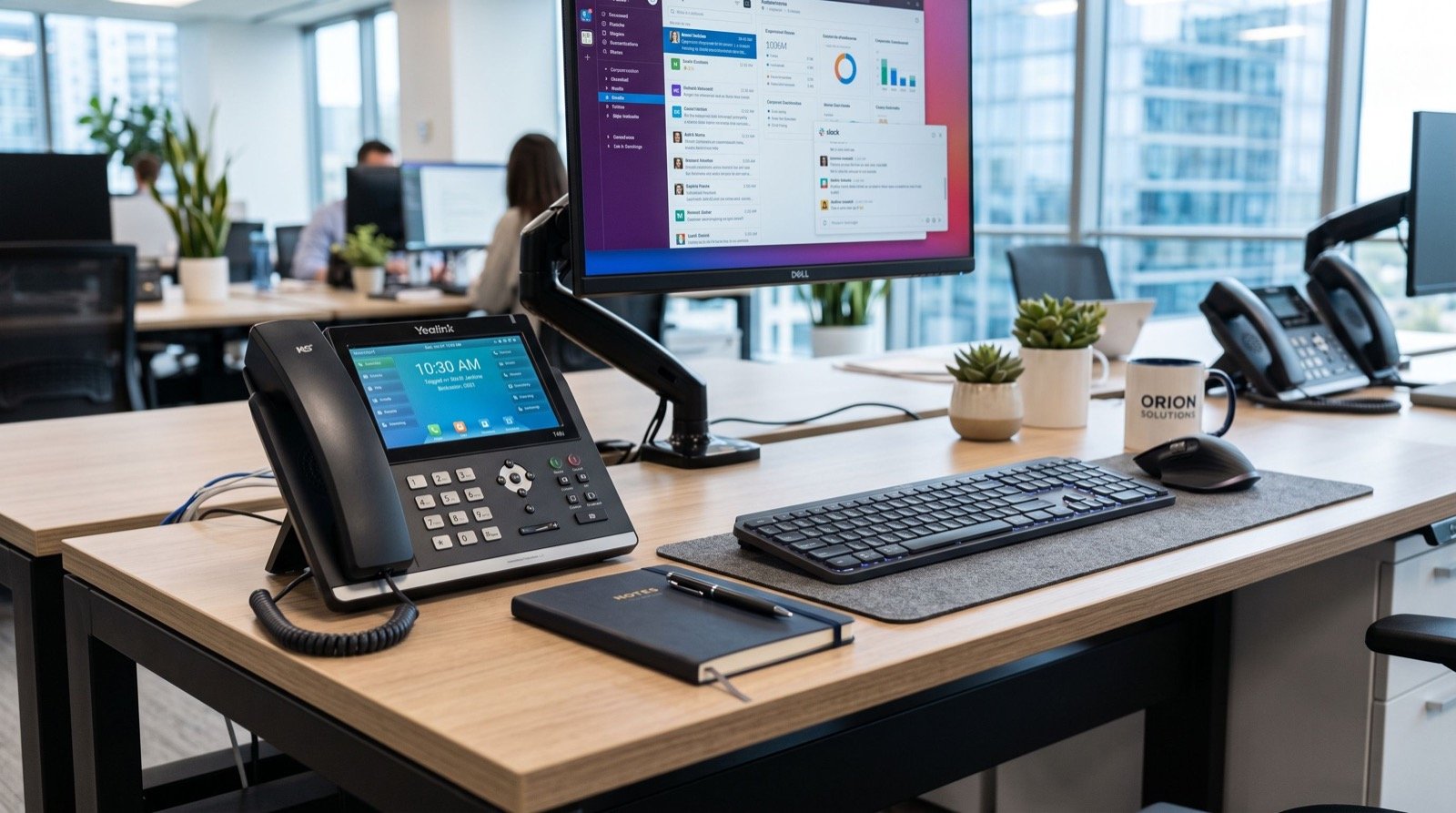
Not every desk needs a feature-packed phone. Reception areas, shared workstations, and small satellite offices usually just need something dependable that handles calls cleanly without a steep learning curve for staff. This is exactly the gap filled by an entry-level unit like the Fanvil V50P Basic Level IP Phone, which covers the core calling functions — clear two-way audio, easy line management, and a straightforward interface — without charging you for conference bridges or executive features a single-line desk will never touch.
Buying entry-level phones for entry-level roles is not a compromise; it is the correct allocation of budget. The money saved on these units can instead go toward the handful of desks in the building that genuinely need advanced capability.
When Does a Business Need Enterprise-Grade Phones?
Executive offices, operations centers, and teams that spend most of the day on calls — sales, support, dispatch — put far more pressure on their hardware. They need multiple line keys, programmable buttons for frequently dialed numbers, larger displays for call queues, and audio quality that holds up during long back-to-back calls.
For that tier, the Fanvil X210 is built for exactly this kind of workload. It is positioned as a high-end enterprise IP phone with the processing power, screen real estate, and expansion options that a receptionist desk or call-heavy sales floor genuinely needs. Pairing a handful of these units with entry-level phones elsewhere in the building is how most offices actually structure their rollout — matching the tool to the task rather than buying one model for everyone.
Key Features to Compare Before You Order
When evaluating any IP phone for office use, run it through the same checklist regardless of brand. The table below summarizes the factors that matter most for a 2026 office deployment.
| Feature | Why It Matters |
|---|---|
| HD voice codec support | Reduces fatigue on long calls and improves clarity on weaker connections |
| PoE (Power over Ethernet) | One cable for power and data — fewer wall sockets, cleaner desks |
| Number of line keys | Determines how many calls/extensions a user can juggle at once |
| Provisioning support | Lets IT configure phones remotely instead of manually per desk |
| Display size | Matters for call queues, directories, and visual voicemail |
| Build quality | Office phones get heavy daily use for years — cheap plastics fail fast |
Most vendors publish full spec sheets, so there is no need to guess. Compare two or three candidate models side by side against this table before placing a bulk order, since swapping hardware after a company-wide rollout is far costlier than getting the first order right.
Installation and Support Matter as Much as the Hardware
Even the best handset is only as good as its setup. Mis-provisioned phones, poorly configured extensions, and skipped firmware updates are the real reasons offices complain about “bad phone systems” — not the hardware itself. Working with an experienced local team for the physical rollout, cabling, and initial configuration saves weeks of trial and error, particularly during an office move or a full floor relocation when phones, network drops, and desk layouts all need to be coordinated at once.
A clean installation also makes future troubleshooting far easier. When every phone is provisioned the same way, a single firmware push or configuration change can be rolled out to the entire office in minutes instead of being handled desk by desk.
Frequently Asked Questions
How many IP phones does a small office actually need?
Plan for one phone per desk that regularly takes or makes calls, plus a small buffer of two or three spares for new hires or hardware swaps. Shared spaces like meeting rooms usually need only one conferencing-capable unit rather than a phone per seat.
Can IP phones work during a power outage?
Only if the network switch and router are on backup power, since IP phones draw power either from PoE or a wall adapter. Many offices keep a small UPS on the core switch specifically so phones and internet stay up during short outages.
Do IP phones need a dedicated phone line from the provider?
No. A business IP phone registers to a SIP trunk or hosted PBX over the internet connection you already have, which is exactly why migrating away from analog lines saves money every month.
Is it hard to switch an existing office from analog to IP phones?
Not with planning. Most offices run both systems in parallel for a short transition window, move departments over in batches, and decommission the old lines once every extension is confirmed working on the new phones.
Final Thoughts on Choosing a Business IP Phone
The right business IP phone setup is rarely about picking a single “best” model — it is about matching entry-level, mid-range, and enterprise-grade hardware to the way each desk in your office actually works. Get that mix right in 2026, pair it with a properly planned installation, and your office ends up with a phone system that is cheaper to run, easier to manage, and genuinely pleasant for staff to use every day.